One Meetup Link, a Whole Evening: How Our Community Automated the Boring Parts
A room screen that follows the clock, meetup pages with a clickable agenda, a live header, slide decks that fill themselves in and pages that update twice a week. What changed for the AWS community in Austria this autumn, and what we learned.
Part 1: Junior’s tour of the evening
It all starts with one link
Every meetup now begins as a single Meetup event link. That link becomes a folder in our meetup data repo. From there the evening fills itself in: the talks and abstracts from Sessionize, and the date, venue and host from Meetup. Anything those two get wrong, like a missing photo or an outdated logo, gets fixed in a small override file. The override always wins, so nobody has to edit generated files by hand.
Every Monday and Friday morning a scheduled job pulls the latest from both sources and rebuilds everything downstream. The first time it ran on its own, nobody had to do anything. That was a good morning.
The room screen follows the clock
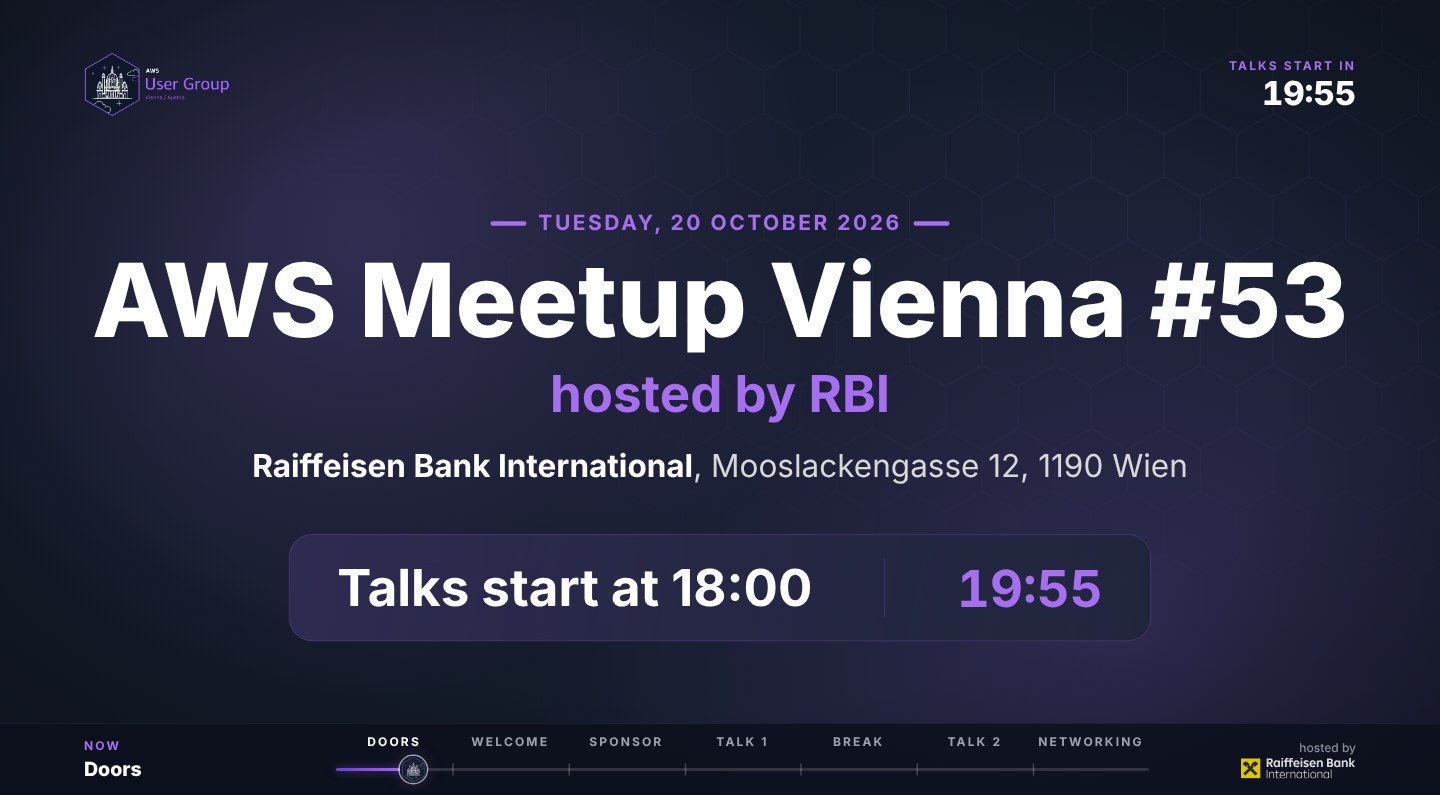
This is my favourite part. The screen at the venue is no longer a slide someone has to remember to click. It is a player that runs the whole evening by the clock:
- While doors are open it loops: the evening at a glance, the agenda, who we are, a thank-you to the sponsor, our member badges, the next community day, and a QR code to the event page.
- At the welcome it shows the photo collage, then the team, our user groups, the badges and the code of conduct, one minute each.
- For every talk it does the handover: who is speaking next and what about. Once the talk has started it switches to a calm “now speaking” screen.
- In the break a big countdown tells everyone when the next talk starts.
- At the end it thanks the host and keeps “open until 22:00” on screen for the people who stay.
The top right corner always tells the room what it is waiting for: “Talks start in”, “Break in”, “Talk 2 in”. Along the bottom, a chapter bar shows where the evening is right now.
The host can still take over. A normal presentation clicker steps forward and back. One key says “we are running a minute late” and moves the rest of the evening with it, and another puts it back. Step ahead of the clock and the screen waits until the clock catches up, then carries on by itself.
It works without a server too. The whole player is a folder of files, so it runs from the website or from a USB stick. And because room wifi should never be trusted, it tries again by itself when it loses the connection.
Every meetup gets its own page, with a clickable agenda
On awscommunity.at every meetup, past and coming, now has its own page: date and time, the venue with a map link, the host’s logo, the talks with speaker photos and abstracts, the slide deck as a PDF afterwards, and the agenda.
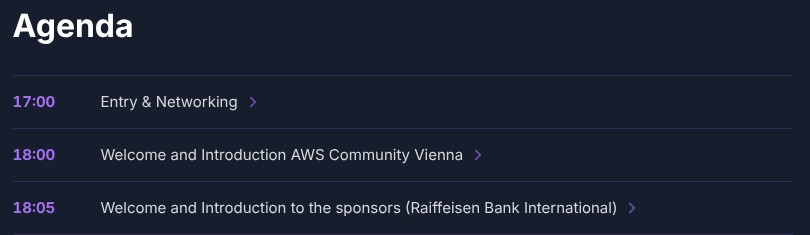
Every line on the agenda opens. That is where the small, human things live, the ones that usually only get said at the door:
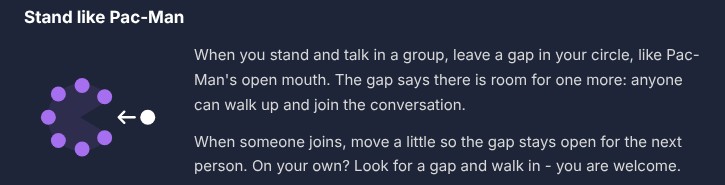
- Doors open tells you to get a drink and say hi, and explains how to join a group (more on that below). It also has the code of conduct in plain words: “But, it’s just a joke!”: if you have to say it, it probably wasn’t.
- The welcome shows a card for each user group leader with their role, our user groups across Austria, and what the badges mean, so a first-timer knows who to ask.
- The break says there is food for everyone, with meat or fish, vegetarian and vegan, and that you can ask any leader if you cannot find something you can eat.
- Networking at the end thanks the host for the room, the food and the drinks, asks for feedback, and invites you to speak or host next time.
The live header: the room screen, on the web
At the top of each meetup page sits a small live version of the room screen. Before the evening it tours the screens: the event card, the agenda, the sponsor, the talks, our coming community days and the hosts who have had us. During the evening it switches to “Live now” and follows the clock exactly like the screen in the room. A Fullscreen button turns any laptop into a room screen. On a phone that cannot show part of a page fullscreen, it opens the loop in its own tab instead.
So whether you are in the room, on the way there, or deciding whether to come, you see the same evening.
The slide deck fills itself in
Organizers still present from the group’s own slide deck, the one we have kept improving for years. A small tool now fills it in for each meetup from the same data: the meetup number, the agenda, one slide per talk, the sponsor slides, and a feedback QR code at the end. It finds slides by what they say, not by where they sit, so the template can keep changing. The last step, exporting the PDF, still happens on an organizer’s laptop. That is on purpose.
The small things
- Faster pictures. Some images were far bigger than they needed to be, like a 700 KB photo shown as a 52 px circle, or a logo 6400 px wide. Every picture is now about twice its size on screen, and the dialogs load theirs as soon as they open.
- A team mailbox. Contact goes to the community’s shared address now, not to one person’s inbox.
- The prep guide for hosts and speakers was rebuilt with examples and a fresh PDF.
- 33 automated checks walk through the site in a headless browser, one command before a release.
- A save-the-date for the next Vienna meetup is already up, the week before re:Invent, before the exact day is fixed.
Coming next: a live stream page, and name tags
Two things are on their way, and both will change the evening again.
- A live stream page. The same player gets its own page on the website, and every event card gets an “Open the live stream” button, so people who can’t make it to the room can follow along. It is built and waiting on its branch.
- Name tags that print themselves. We now have our own iOS and Mac app that prints a name tag at check-in. No more pen, no more guessing how to spell a name. It also means the evening knows something it never knew before: how many people are already in the room.
That second part is now on our to-do list. The pre-show loop needs to change, so that alongside the countdown and the agenda it can show how many people have already checked in. And everything that reads the event data has to learn about check-ins, not just RSVPs.
Part 2: Senior’s review
Three things that went well
- One source of truth. The page, the screen, the live header and the deck all read the same event file. If a talk title changes, it changes everywhere. Before this, the same fact lived in four places and was out of date in at least one of them. That is the real win, more than any single screen.
- The automation serves people, not the other way round. The parts that took the most care are not technical at all: the Pac-Man rule, the food note, the code of conduct in plain words, a thank-you to the host. A first-timer reads them before they walk in. Tooling that makes a community kinder at the door is worth more than tooling that only makes it faster.
- Honest about manual steps. The deck’s PDF is made on a laptop, the template stays private, and the README says both. Nothing pretends to be more automatic than it is. That honesty is what makes the automated parts trustworthy.
Three things to watch
- Bot commits are not human work. About 200 of the website’s commits come from the scheduled job. That is the site working, and it is good, but the people behind it should not disappear in the log. Count them separately, or a busy history hides how often humans touch the site.
- Licences and CI. The tools invite other user groups to reuse them, and most still have no licence file. The room screen has a real test suite and a check that runs it at simulated times of the evening, but no CI runs those tests yet, and the same goes for the 33 website checks.
- Consent first, always. Speaker photos, member photos and company logos are part of every screen. The rule that they are only added with the owner’s consent matters more than any line of code here. It has to stay a rule, not become a habit someone forgets.
The one change
Before the next meetup, every tool that says “reuse this” gets a licence, and the room screen’s tests run on every change. Then this stops being our setup and becomes something the next user group can safely pick up.
Update, the same evening: Junior did the sweep
#community #aws #meetups #automation #open-source #retrospectives